Home/AI zombie video guide

How to make an AI zombie video without losing the faces

The practical AI zombie video guide: understand the three-shot story, choose the right workflow, copy the prompts, then know what to fix when generation goes wrong.

Original 12-second example generated for AI Zombie Trend

What is an AI zombie video?

An AI zombie video is a short, generated story in which a familiar person or pet appears in a zombie encounter, changes in mood or appearance, and reaches an emotional ending. The current trend usually moves through three beats: an ordinary human faces danger, an infected character is revealed, and recognition replaces violence with an embrace. You can make one by writing a free-form prompt, generating still images before animating them, or uploading two reference photos to a fixed story. The AI Zombie Trend version needs two clear, consented photos and no prompt writing. It produces a 12-second, 720p, 16:9 MP4 with generated sound. The two-photo approach assigns one image to each role, which gives the model less identity ambiguity than asking one text prompt to invent both characters. It still generates new frames, so faces, clothing and scenery can vary.

Model capabilities and reference limits were checked against the KIE Seedance 2.0 Mini documentation on October 23, 2026.

How does the three-part AI zombie video story work?

An AI zombie video is easy to recognize because the emotional direction is more important than the makeup. Each beat changes what the viewer believes will happen next.

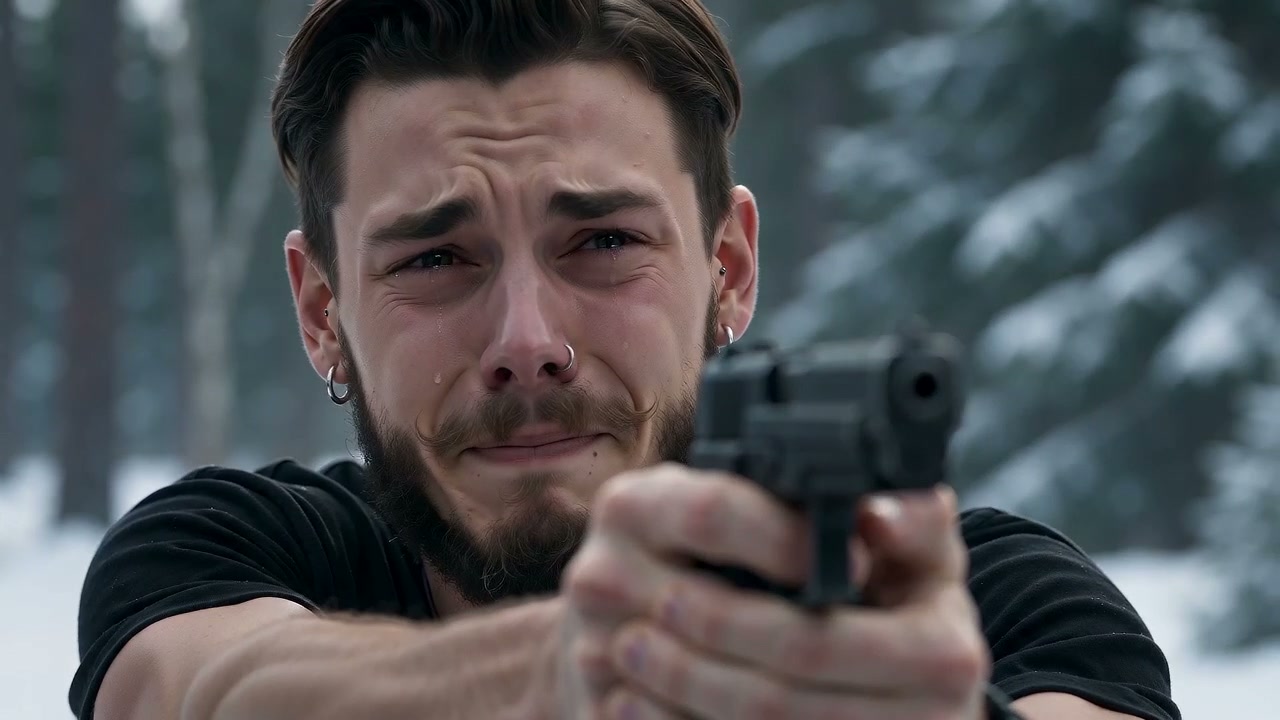
  1. A frightened survivor before recognizing the infected character
    BEAT 1

    Who appears normal at the start?

    Begin with a clean close-up of the survivor. Fear is readable, but the face stays ordinary and identifiable.

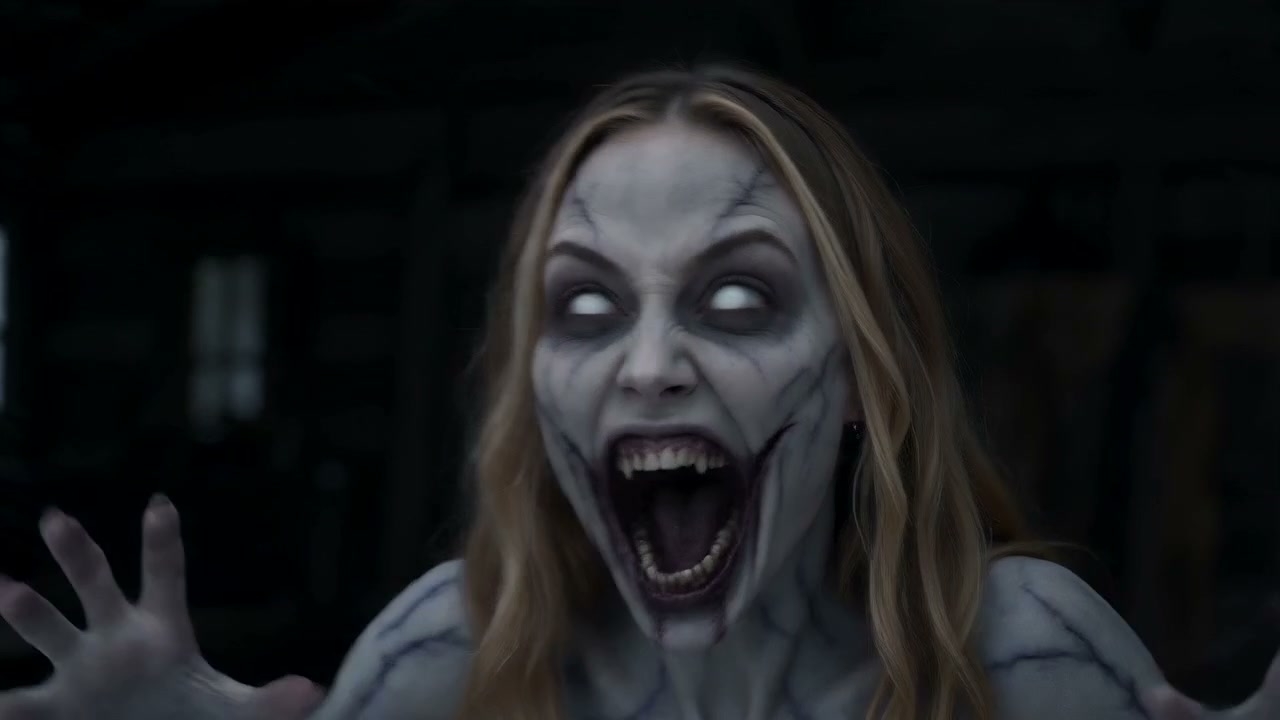
  2. The infected character revealed outside a snowy cabin
    BEAT 2

    Where does infection change the scene?

    Reveal the infected character through posture, pale skin, eyes and sound. Suspense works without blood or graphic wounds.

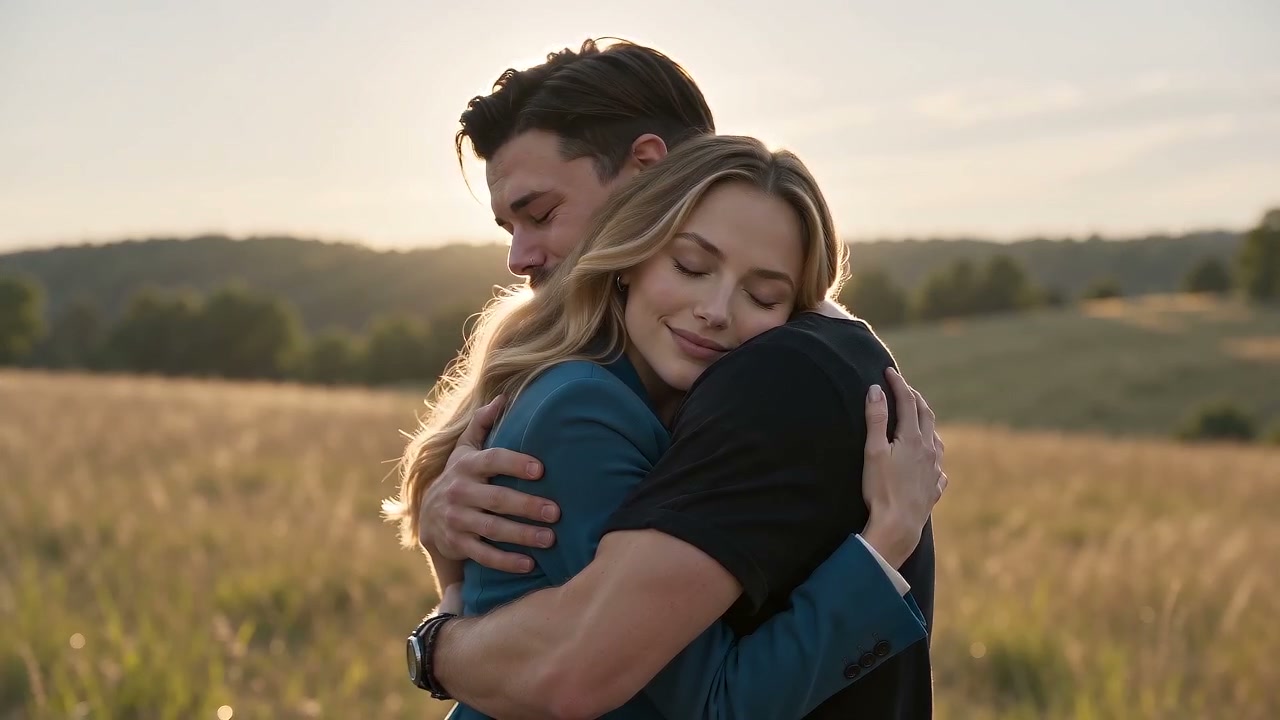
  3. The two characters embracing in warm light after recognition
    BEAT 3

    Why does recognition end in an embrace?

    The survivor lowers their guard, steps closer and chooses reunion. The warm final light makes the emotional reversal unmistakable.

Which AI zombie video method fits your goal?

There is no universally best workflow. Choose based on how much control you want, how many retries you can tolerate and whether identity consistency matters more than open-ended direction.

MethodInputPrompt?Typical lengthFace driftHow retries workPrice
Free prompt to video Text; sometimes one starting image Yes. You direct every beat. Usually a short clip; model and plan decide the limit. Highest when two identities must be invented or remembered across cuts. Rewrite the prompt or regenerate the whole clip. Each retry may consume credits. Free tiers exist. CapCut currently lists Free and Pro at $19.99/month; regional offers vary.
Still images, then video Character stills, scene stills and an animation tool Yes, usually once for images and again for motion. You assemble several short animated shots. Lower inside one shot, but faces can change between separately generated stills. Replace only the failed still or shot, then rebuild the edit. Varies by image model, video model and editing plan; often two credit pools.

CapCut plan figures were verified on October 23, 2026 from the official CapCut pricing page. CapCut states that displayed pricing is for reference and final pricing, taxes and offers require sign-in. Other tools are intentionally shown as variable rather than assigned an unverified price.

Which zombie AI trend prompts can you copy?

Use each AI zombie video prompt as a separate shot or combine them into one sequence. Replace bracketed details with your own setting and references. Keep the identity and safety constraints in every shot.

TRANSFORMATION SHOT
Cinematic medium close-up in [location]. The person from Reference Image A turns slowly toward camera as a restrained zombie transformation appears: skin becomes pale, eyes become glassy, breathing becomes uneven, and posture stiffens. Preserve the same facial structure, hair, age and recognizable features. Keep clothing and camera direction consistent. Suspenseful, emotional, non-gory. No blood, wounds, feeding, body horror, text or extra people.
RECOGNITION MOMENT
Shot-reverse-shot between the infected character from Reference Image A and the survivor from Reference Image B. The survivor raises a weapon, hesitates, then recognizes a familiar expression. Hold on both eyes and small facial reactions. Maintain one identity per reference image and do not merge their features. The infected character becomes calm rather than aggressive. Natural winter light, shallow depth of field, no gore, no attack and no new characters.
ENDING EMBRACE
The survivor lowers the weapon and steps forward. The two characters recognize each other and share a careful, emotional embrace. Transition from cold blue light to warm golden backlight without changing either identity. Preserve face shape, hairstyle, body scale and clothing continuity. End on a stable two-shot with both faces visible. Tender zombie love story, cinematic realism, no blood, biting, injury, dialogue or on-screen text.
ENVIRONMENTAL AUDIO
Generate synchronized environmental audio only: distant winter wind, soft footsteps in snow, controlled breathing, fabric movement, one metallic click as the weapon lowers, and quiet meadow ambience in the final shot. No song, lyrics, recognizable melody, narration, spoken dialogue, screaming, chewing or graphic impact sounds. Let the sound move from tense and sparse to warm and calm.
Why does a detailed prompt still drift?

Because the model redraws every frame and must remember two people across several cuts. A fixed-script AI zombie video does not eliminate that limitation, but it assigns one uploaded photo to each identity and keeps the shot order constant, reducing ambiguity compared with a prompt that invents both faces from scratch.

Why is your AI zombie video not working?

Most failures come from identity overload, unsafe visual language, conflicting shot instructions or an aspect ratio that does not match the final platform.

FACE DRIFT

Why does the person look different in every shot?

Use one clear, frontal image per identity; remove sunglasses and filters; repeat the identity mapping in every prompt; and avoid asking for large age, hairstyle or wardrobe changes at the same time.

TOO GORY

Why did the result become bloody or graphic?

Describe atmosphere instead of injury: pale skin, fogged eyes, rigid posture and tense breathing. Add explicit negatives for blood, wounds, feeding, biting, body horror and graphic impact sounds.

WRONG ORDER

Why are the shots rearranged?

Write numbered beats with one action per beat. Repeat “do not reorder the shots,” keep the camera direction simple and remove optional events that compete with the recognition moment.

BAD CROP

Why does the platform crop faces or arms?

Choose the delivery ratio before generation. Use 16:9 for widescreen playback, keep faces away from the outer edges and make a separate 9:16 version rather than relying on an automatic crop.

What do three finished AI zombie video examples look like?

Each AI zombie video example below is an original output made for this site. They show the same basic emotional arc with different identities, creature treatments and moments of recognition.

Still Your Best FriendA pet reunion where fear gives way to recognition.
No Shot FiredA winter confrontation that ends with trust.
One Last EmbraceA human reunion carried by expression and movement.

What else should you know before making one?

Start with consent, clear reference photos and a delivery format you already know you need.

Is an AI zombie video free to make?

Some editors offer limited free credits, while paid plans, model access and retries vary. AI Zombie Trend currently charges $9.90 for one generation or $19.90 for three. A generation is a model attempt, not a guarantee that every creative detail will match your imagination.

Can I use my own photos?

Yes, if you own them or have clear permission from every adult shown. Do not upload minors, celebrities, political figures or anyone who has not consented. Do not use a result to impersonate someone or present a fictional scene as a real event.

How long is the AI zombie video?

The fixed two-photo story on this site is generated as a 12-second, 720p, 16:9 MP4 with audio. Other tools and models may offer different durations, ratios and resolutions.

Can I make the trend with pets?

A clear pet portrait can work as a reference. Expect more variation in fur markings, ears and eye shape than with a clean frontal human portrait, and choose a prompt that keeps the animal non-aggressive and non-gory.

Does a zombie AI trend prompt have to be gory?

No. The emotional structure works with pale skin, eerie eyes, stiff movement and suspense. Explicitly exclude blood, wounds, feeding, biting and body horror if you want a cinematic but safe result.

Why does the face change between shots?

Generative video creates new frames rather than compositing an exact face onto existing footage. Clear references, one role per image and a fixed shot order reduce ambiguity, but no prompt can guarantee perfect identity consistency across every frame.

Would you rather skip the prompt writing?

Upload two clear photos, assign one character to each, and use the fixed 12-second reunion story.

Create my AI zombie video