AB
How are both characters kept consistent?
Each upload supplies one character identity. The built-in prompt carries both characters through close-ups, motion and changing light without blending them. See the KIE Seedance 2.0 Mini documentation.
AI Zombie Trend from two photos
Turn two portraits into a cinematic moment of fear, recognition and reunion—without prompts, editing or graphic gore.
Your story begins here
The trend, retold
Two people meet in a world that no longer feels familiar.
A face, gesture or memory cuts through the fear.
Instead of fighting, the survivor steps closer.
Three steps
No prompt engineering and no story controls. Two clear portraits guide a newly generated version of the zombie-reunion story.
Choose one sharp image for each subject. Faces, eyes and distinctive features should be easy to see.
A fixed four-shot prompt guides the transformation, reunion and sunlit ending while Seedance 2.0 Mini creates new footage.
Render the complete 12-second story with synchronized sound, then save the finished MP4.
Made for the moment
Each upload supplies one character identity. The built-in prompt carries both characters through close-ups, motion and changing light without blending them. See the KIE Seedance 2.0 Mini documentation.
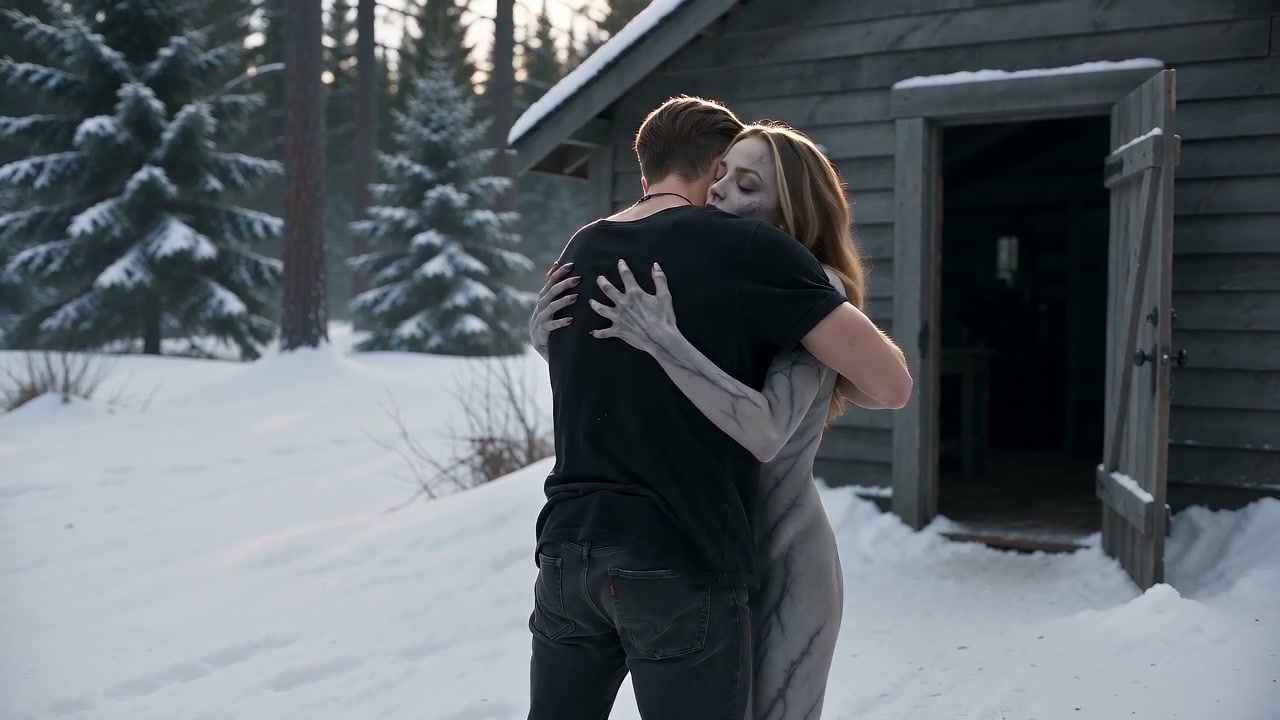
Each zombie love story generation follows a widescreen sequence from the winter cabin to the golden meadow while the model creates original frames.
Seedance 2.0 Mini generates environmental sound effects and ambience with the new footage. The prompt excludes songs, lyrics and recognizable melodies.
The source emphasizes atmosphere, pale makeup and emotional tension rather than graphic feeding or gore.
Better inputs
Changing a weak photo usually helps more than adding a complicated note.
Avoid group shots. Keep the full face, eyes and distinctive features clearly visible.
Skip heavy filters, deep shadow, sunglasses and motion blur.
Similar portrait angles give the opening composition a more natural starting point.
If a face drifts, try a clearer reference before writing more instructions.
The guided format
The zombie love story format is built around one emotional reunion rather than an open-ended video editor. You provide two clear portraits, and the zombie love story generator uses Photo A for the zombie character and Photo B for the survivor. A fixed four-shot plan guides the cabin confrontation, reunion and bright meadow ending, so you do not need to design a scene from scratch.
The model generates a new video rather than pasting faces onto existing frames. The built-in prompt asks Seedance 2.0 Mini to preserve each person or animal, make the zombie transformation unmistakable, and keep both characters in a sustained sunlit embrace at the end. Generative results are probabilistic, so camera details, motion, clothing and scenery may vary, and every result should be reviewed before it is shared.
For the clearest zombie love story result, choose one adult subject per photo. Before starting an AI Zombie Trend generation, check for front-facing light, visible eyes and a sharp image without sunglasses, beauty filters or motion blur. A neutral portrait usually works better than a distant group photo. Optional notes can describe a beauty mark or another facial detail; they cannot replace the built-in story or request new shots.
Each AI Zombie Trend purchase covers one 12-second 720p HD generation with synchronized environmental audio generated with the video. The page returns a private zombie love story MP4 link for download. Save the file promptly because result links are temporary. If a request is rejected before a provider task is accepted, the payment entitlement is released for another attempt.
The zombie love story generator is intended for consensual, non-gory creative use. Upload only photos you own or have permission to use, never submit images of minors, and do not use the result for deception, harassment or false endorsement. Review the Privacy Policy and Terms of Use before checkout.
Every submitted portrait and optional instruction is reviewed before a paid generation is claimed. Rejected inputs do not use a generation. KIE's nsfw_checker is also enabled for Seedance 2.0 Mini. Completed videos are not independently scanned by AI Zombie Trend while output review is disabled, so users must review every result before sharing it.
Pay once
No subscription. Choose one video or save with a three-generation pack.
Sign in, then pay securely with PayPal.
One 12-second 720p HD video
Payment unlocks one reference-guided story generation.
Three 12-second 720p HD videos
One payment unlocks three separate uses of the same story.
It is a reference-guided AI video. This version uses two character identities and a fixed, non-gory zombie-reunion story plan to generate a new 12-second scene.
Two: one for the character who changes and one for the survivor. Use JPG, PNG or WebP files up to 10 MB each.
Not with the current human story format. Pet support requires a separate owned reference story with a matching animal role.
Photo A guides the zombie character's identity. Photo B guides the survivor's identity. The model generates complete characters, clothing, movement and environments for the story.
No. The generation prompt explicitly avoids blood, wounds, feeding and body horror. The intended look is eerie, emotional and cinematic.
The server creates temporary private copies with expiring URLs so KIE can process the two references with Seedance 2.0 Mini. Those input copies are deleted after the task completes or fails; provider handling follows KIE's own terms.
If the model never accepts the task, your generation remains available. If an accepted task fails, one replacement generation is restored automatically. If that replacement also fails, contact support for a refund review under our Refund Policy.
Successful tasks return an MP4 download link. Provider result URLs expire, so download your finished video promptly.